
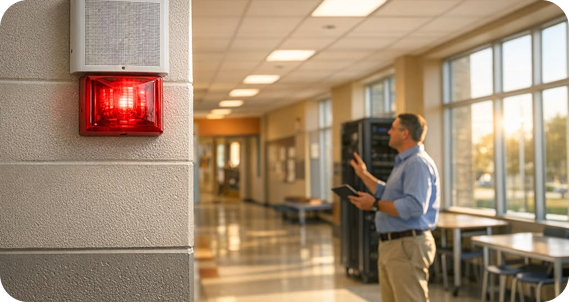
Your bell controller is older than most of your Year 12s. The PA amplifiers hum, spare parts come from eBay, and every timetable change means booking a technician. Most schools know they need to replace it but keep delaying, because they assume an upgrade means rewiring every building. In most cases it does not. An IP school bell system in Australia runs over the network cabling you already have, and it can often reuse your existing speakers. With the summer holidays coming, here is how to plan the change.
Bells and PA cannot go offline during term. Changing them mid-year means weekend work, temporary workarounds and a nervous business manager. The long summer break between mid-December and late January is the one period when a school can take the system down, install and test new equipment, and train staff before Term 1 starts. That window is short, and it fills fast. Installers book out, hardware lead times stretch, and design work needs to be signed off before the last day of Term 4. Schools that start the assessment in October or November have time to plan properly. Schools that start in January usually end up waiting another year.
Usually not. Algo IP speakers, strobes and paging devices connect to the same Cat5e or Cat6 network that runs your computers and phones. Power comes over the data cable using Power over Ethernet (PoE), so there is no separate audio wiring and no local power point at each speaker. If your existing speakers and amplifiers are in good condition, you may not need to replace them at all. The Algo 8301 paging adapter and scheduler connects to a legacy amplifier and acts as a bridge between your IP phone system and the analogue PA. It takes over bell scheduling from the old controller while the existing speakers keep doing their job. Many schools end up with a hybrid. They keep working analogue speakers in classrooms, add IP speakers where coverage was poor, and put weatherproof IP horns on ovals and courts. Everything is then managed from one place. Over time, analogue zones can be replaced as speakers fail or buildings are refurbished.
The practical difference shows up in the business office, not the plant room.
Zone scheduling: Run separate bell schedules for junior school, senior school, admin and outdoor areas. A junior school recess bell does not have to ring in the senior exam hall.
Changes from a browser: Swap to a sports carnival schedule, a half-day timetable or an exam week bell pattern from a web page. No technician, no ladder, no controller in a cupboard.
Term dates and holidays: Load the school calendar once. Algo's scheduler handles recurring events and adjusts automatically for daylight saving, so nobody needs to remember to change the clock in October and April.
Announcements from any phone: Integrated with your phone system, staff can page a zone or the whole campus from a desk phone. Pre-recorded messages can also play at set times.
Fault alerts: IP devices report when they drop off the network, so a dead speaker gets fixed before it matters.
The same speakers and strobes also carry lockdown and evacuation alerts, so a bell upgrade becomes the foundation for your emergency communications as well.
Most single-campus projects follow the same four steps.
Assessment (October to November). Walk the site, map buildings and outdoor areas into zones, test existing speakers and amplifiers, and check switch PoE capacity and VLAN design.
Design (November). Confirm the zone map, what is kept and what is replaced, bell schedules for each zone, and integration with the phone system. Order hardware early to avoid holiday lead times.
Install (December to January). Mount and connect IP devices, connect the 8301 to any retained amplifiers, configure schedules and test every zone, including emergency tones.
Handover (late January). Train the office and ICT staff to change schedules and make announcements, then run a full test before students return. Larger campuses or multi-school projects may stage the work across several holiday periods, starting with the zones that cause the most problems.
eComms is an authorised Algo integrator. We design, supply, install and support Algo IP PA and bell systems, and we also build and manage the Fortinet network and phone system they run on. That means one team checks the PoE budget, sets up the VLANs and segmentation, connects the PA to your phones and stays accountable after go-live. Our Melbourne-based team delivers nationally, from single primary schools to multi-campus colleges. See our technology for Australian schools page for how bells, PA, emergency alerts and secure Wi-Fi fit together. Get an IP bell and PA assessment before the holidays
An analogue bell system will not get easier to maintain, and the summer window only comes once a year. A short site assessment now tells you what you can keep, what needs replacing and whether your network is ready. Talk to an education specialist to lock in your spot before the holidays. Get an IP bell and PA assessment before the holidays